
Quotex trading app: Download for PC, Android (APK) and iPhone
The Quotex app brings a full-featured trading experience to any device - PC, Android, or iOS. Whether you're at your desk or on the move, the platform's intuitive interface, real-time market data, and built-in risk management tools make it easy to trade confidently. This guide covers everything you need to get started: the pros and cons of the app, how to install it on each platform, and how to make the most of mobile trading with Quotex.
Trade on Quotex online with bonus

Trade on Quotex online with bonus and explore a modern digital options platform with fast order execution, flexible strategies and convenient trading tools.
Pros and cons of trading with the Quotex app
Before downloading, here's an honest overview of what the Quotex app does well - and where it has limitations:
Advantages |
Disadvantages |
Available on PC, Android, and iOS |
Requires a stable internet connection |
Real-time market data and analysis |
Constant market access can encourage overtrading |
Risk management tools including stop-loss |
- |
Free demo account for risk-free practice |
- |
Advanced security measures |
- |
What each advantage means in practice:
- Multi-platform access: trade from any device with full functionality and account synchronisation.
- Real-time data: up-to-the-minute market information to support informed decision-making.
- Risk management: stop-loss and take-profit tools help keep trades within your defined parameters.
- Demo account: practise strategies and explore the platform with $10,000 in virtual funds - no financial risk.
- Security: robust encryption and authentication options protect your account and funds.
The main limitations to be aware of: the app requires a reliable internet connection, and the convenience of 24/7 market access can make it tempting to trade more frequently than your strategy warrants. Used with discipline, the Quotex app is a capable tool for traders at every level.
How to download and install the Quotex app on Windows
Installing Quotex on a Windows PC gives you a full desktop trading environment with the performance benefits of a native application. Follow these steps:
- Visit the official Quotex website using your preferred browser
- Go to the "Download" section and select the Windows version
- Click "Download" to start the file download
- Once downloaded, locate the installer in your Downloads folder
- Right-click the file and select "Run as administrator" for correct installation
- Follow the on-screen prompts and accept the terms and conditions
- Choose your installation directory or use the default location
- Wait for the installation to complete - this typically takes a few minutes
If you run into issues during installation, try these troubleshooting steps:
- Temporarily disable antivirus software - it may interfere with the installer
- Clear your browser cache and retry the download
- If the app won't launch, try running it in Windows 7 compatibility mode
- Check your internet connection and firewall settings
- Make sure you have enough free storage space on your drive
- Restart your computer and attempt the installation again
How to download and install the Quotex app on Android
Getting Quotex running on Android is straightforward. Here's how:
- Open the Google Play Store on your Android device
- Search for "Quotex trading app"
- Tap the official Quotex app in the search results
- Press "Install" to begin the download
- Wait for the installation to complete
- Tap "Open" to launch the app and sign in or create an account
Once installed, enable two-factor authentication for added security and explore the demo account before trading with real funds. The Android app offers:
- Real-time market data and analysis tools
- Customisable charts and technical indicators
- One-tap trade execution for fast responses to market moves
- Multiple asset classes available for trading
- Secure deposit and withdrawal options
After setup, spend time in the demo account to get comfortable with the interface and risk management tools before moving to live trading.
How to download and install the Quotex app on Apple iOS
The Quotex iOS app is available through the App Store, ensuring you always get the official, most up-to-date version. To install:
- Open the App Store on your iPhone or iPad
- Search for "Quotex trading app"
- Tap the official Quotex app in the results
- Press "Get" to begin the download
- Authenticate with Face ID, Touch ID, or your Apple ID password
- Wait for the installation to complete
- Tap "Open" to launch the app and sign in or register
The iOS app mirrors the full feature set of the web platform, optimised for touch. Once installed, the Quotex app gives iOS users:
- Real-time market data and analysis
- Intuitive interface designed for touch navigation
- Access to multiple asset classes
- Secure deposit and withdrawal options
- Technical analysis tools and indicators
Use the demo account after installation to practise strategies and build confidence before switching to live trading.
Trade with the Quotex app from anywhere
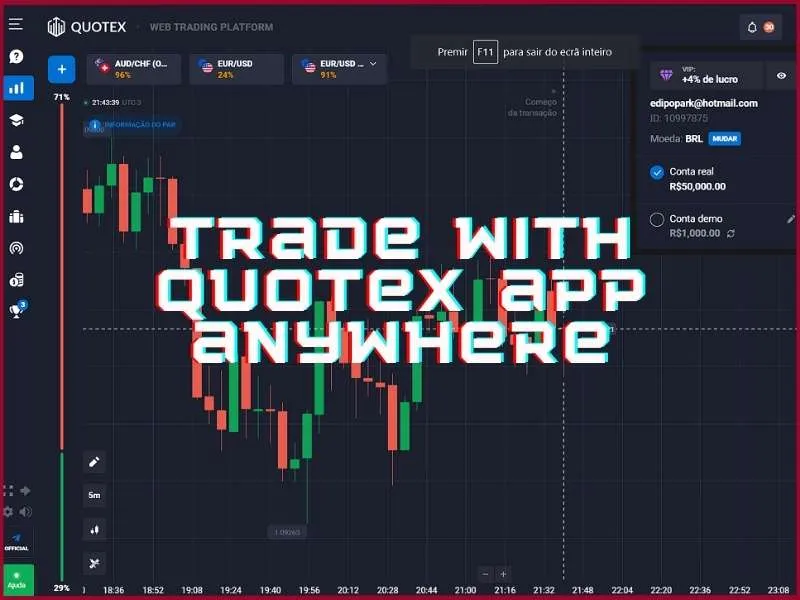
The Quotex app turns any device into a capable trading terminal. Whether you're monitoring positions during a commute or managing trades while travelling, the platform keeps you connected to markets with the same tools and data as the desktop version.
For those just getting started, the demo account is the best first step. With $10,000 in virtual funds, you can practise strategies, explore the interface, and develop your approach without any financial risk - then transition to live trading when you feel ready, within the same app environment.
The Quotex app's consistent experience across PC, Android, and iOS means your settings, open positions, and account balance stay in sync at all times. Download the app, explore the platform at your own pace, and trade responsibly.
Download Quotex appFrequently Asked Questions about Quotex App
Is Quotex app free to download?
The Quotex app is free to download across all platforms, including PC, Android, and iOS. Users can access the platform's features without initial costs. The download process is straightforward, and there are no fees for installation. This complimentary app allows traders to start exploring immediately.
Can I use Quotex app on multiple devices?
Yes, Quotex offers multi-device functionality. Users can access their accounts seamlessly across smartphones, tablets, and computers. The platform synchronizes trading data, preferences, and account information in real-time, ensuring a consistent experience. This flexibility empowers traders to monitor markets, execute trades, and manage portfolios effortlessly, regardless of the device they're using.
Is my money safe when trading through Quotex app?
Quotex implements robust security measures to safeguard users' funds, utilizing advanced encryption, secure payment gateways, and segregated accounts. Regular security audits and compliance with financial regulations further enhance safety. The app's multi-layered approach aims to protect client assets comprehensively. However, as with any investment, trading inherently carries risks that users should carefully evaluate before participating.
What's the minimum deposit required to start trading on Quotex app?
Quotex offers an accessible entry point with a $10 minimum deposit, making it ideal for beginners. The platform supports various payment methods, catering to users worldwide. While the low initial investment is attractive, it's essential to approach trading responsibly. Remember, successful trading requires careful strategy and risk management, regardless of the deposit amount.
Does Quotex app offer a demo account for practice?
Quotex provides a comprehensive demo account for risk-free practice. This environment allows traders to explore platform features, test strategies, and build confidence without using real funds. Mirroring live market conditions, the demo account offers an authentic experience for both novices and experienced traders to hone their skills before transitioning to real trading.
How often is the Quotex app updated?
Quotex regularly updates its app, enhancing functionality, patching security vulnerabilities, and introducing new features based on user feedback. While update frequency may vary, users can expect consistent improvements every few weeks. These updates ensure the app remains competitive and secure in the dynamic world of binary options trading, prioritizing user experience.